

Scan: your travel journal, written from the photos you already take
Every travel journal app quietly assumes you will do the writing. The Scan assumes you will take photos, because you already do. You live your day. In the evening you tap Scan, and Triplium turns the photos, the one-sentence notes you added and the route you tracked into a journal. You check it in about two minutes, coffee in hand.
Live. Scan. Review.
Two moments of your attention a day. Nothing in between asks you anything.
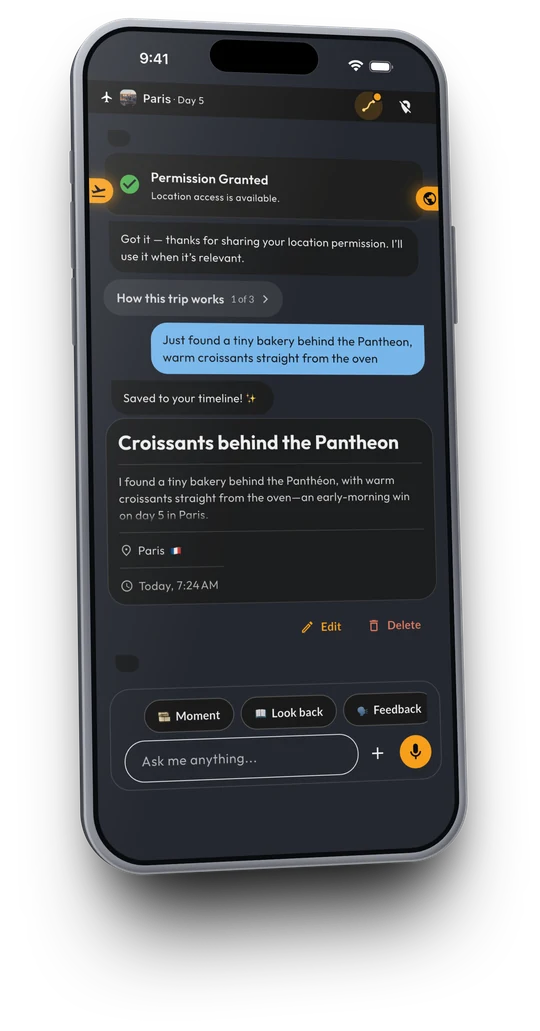
during the day
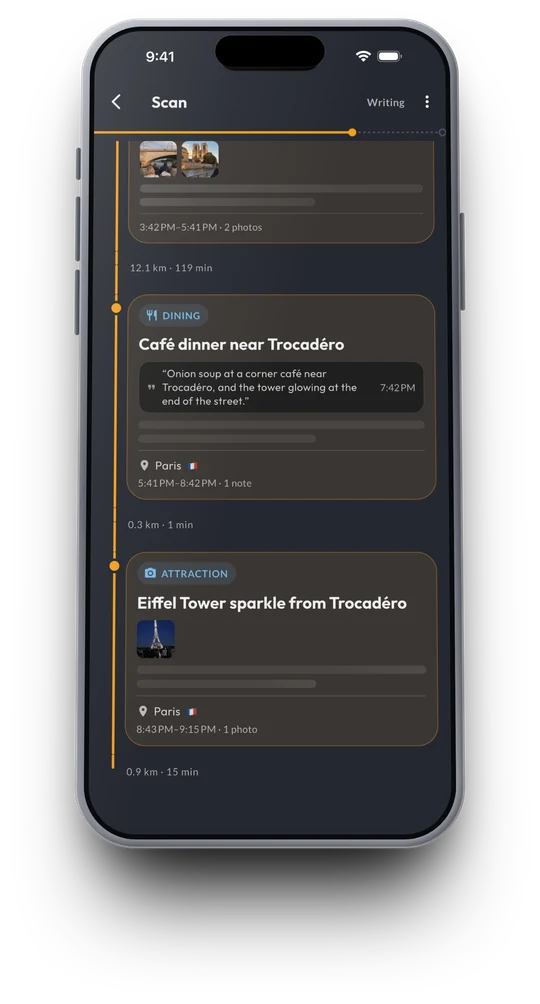
in the evening
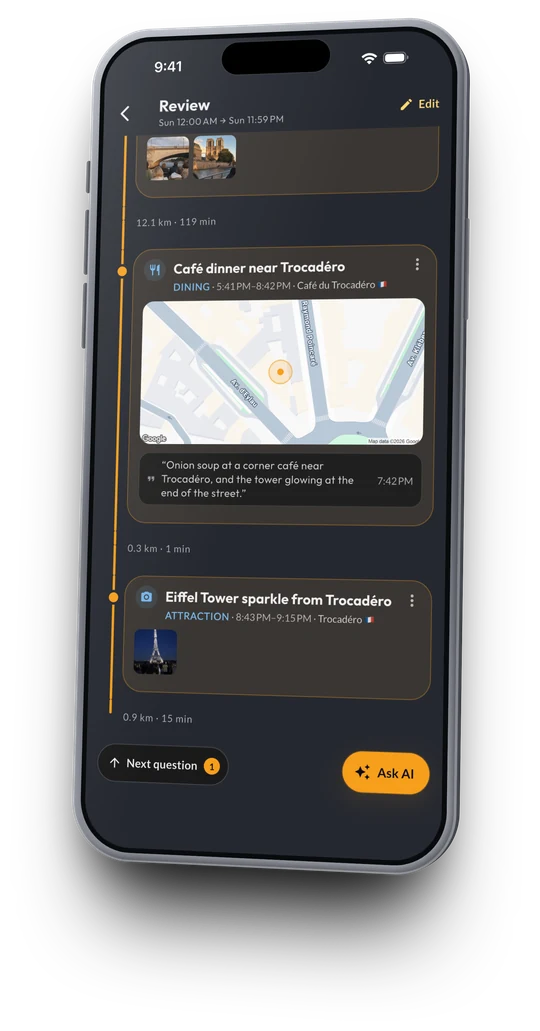
about two minutes
Live
Take photos and videos as you always do. When something is worth remembering, add a one-sentence note from the chat or the home-screen widget. Turn on route tracking and your route collects itself too.
Scan
In the evening, tap Scan. Triplium goes through your photos, notes and route and puts your Moments together: the places, the times, each photo in the right Moment, and a short description of each.
Review
About two minutes, coffee in hand. Keep what's right, move a photo that landed in the wrong Moment, and answer a quick question where Triplium wasn't sure.
That's it. Your trip is in your timeline, on your map and in your stories, and you didn't have to write it up.
What the Scan reads
Only the photos and videos taken during your trip's dates, and only when you tap Scan. It does not go through your whole library, it does not run in the background, and it does not upload anything until you ask it to.
Alongside the photos it uses two things you already have. The one-sentence notes you added during the day, which are what give a Moment its why. And the route, if you turned tracking on, which tells it where you were between the photos. Nothing is shared unless you share it.
What comes out
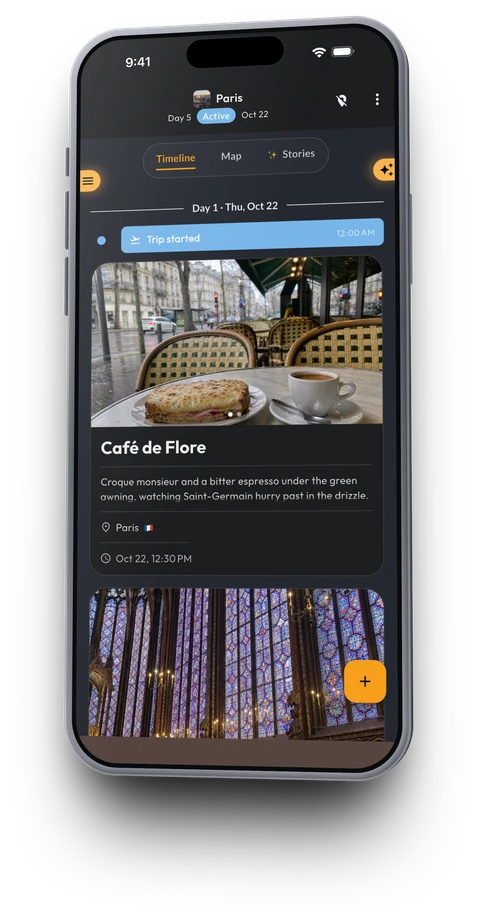
Timeline
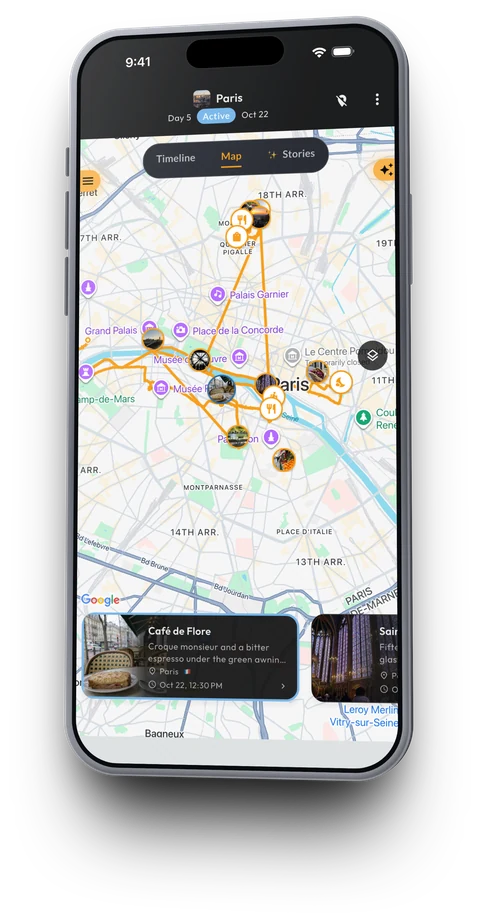
Map with your route
Moments. Each one has a place, a time, the photos that belong to it and a short description. A note you added during the day is quoted on its Moment.
A timeline. Every Moment in order, by day and place. The day you lived, in the order you lived it.
A map with your route. Your actual route, every Moment pinned where it happened. Triplium is a full travel tracker underneath, and your countries visited map fills in from the same trips.
Day stories. A short story of each day, written from your Moments: the highlights, the names, the detail you would have lost by Friday.
A recap video. An animated map of the whole trip with your photos appearing where they happened, ready to share. How the trip video works.
The honest part
It needs a connection. Taking photos and adding notes work with no signal and sync later. The Scan itself runs on Triplium's servers, so run it when you're back on wifi.
It asks only where the guess is weak. The Scan keeps every Moment it is sure of and attaches a one-tap question to the ones it isn't: which place this was, whether two photos belong together. Nothing is overwritten silently, and everything stays editable.
Chat is still there. Whisper a memory, type a line or send a photo to your trip whenever you want to tell a story yourself. The Scan never duplicates what you already saved.
A note is worth more than a photo. The photo says where and when. "Maria said her grandfather built the oven" is the memory, and only you can supply it. One sentence while it happens is enough.
How it compares
A new kind of app builds a trip from your camera roll by reading the time and location stored in each photo. That is good at sorting: which photos belong to which trip, which city, how far you went. It produces a sorted camera roll with a map, not a journal. The words are still yours to type, or they are missing. The Scan starts from the same photos, but it also has your notes and your tracked route, it asks you the same evening while you still remember, and it writes the Moment and the day story. We compare the two honestly in what an automatic travel journal really means.
Want the how-to? Read how to turn your camera roll into a travel journal, or, if the trip is already over, how to build a travel journal from photos after the trip.
Live now, remember forever
Triplium is the AI travel journal that writes itself from the photos you already take — available on iOS, Android, and the Web. 7-day free trial.